


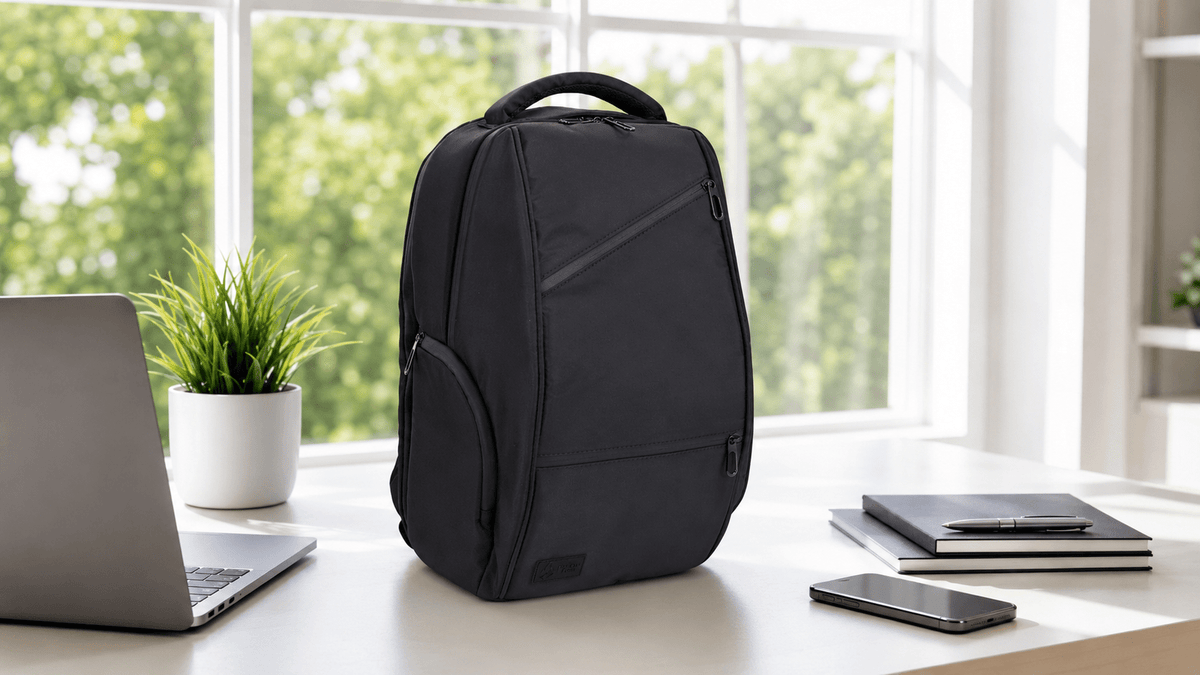
The USB-C port on a FireBar Labs bag is a pass-through, not a battery. That one sentence prevents nearly every setup error. The owner’s power bank goes inside the bag. The phone stays outside. A cable connects each side of the port, and the bag remains closed while power travels through it.
Nothing in the bag generates or stores power on its own. The port is simply a protected route through the bag wall. This guide explains the parts, the direction, the setup, and the limits without turning a straightforward feature into something mysterious.
The complete system has four parts
- Your power bank supplies the power and sits inside the bag.
- An internal cable connects the power bank to the inner side of the pass-through.
- The exterior USB-C port carries the connection through the bag wall.
- An exterior cable connects the outside port to the phone in your hand or pocket.
The bag supplies the pass-through only. A power bank and the cables required by the devices remain the owner’s equipment.
The direction, stated three ways
Power source: inside. Phone: outside.
Energy path: power bank → internal cable → bag port → exterior cable → phone.
Bag position: closed.
This direction matters because “charge devices inside” describes the opposite setup. The feature exists to make the exterior device available while the power source remains enclosed. Opening the bag to connect the phone to the power bank directly defeats the convenience of having a pass-through.
What the port is — and what it is not
The port is an electrical connection across a boundary. It does not boost power, regulate charging independently, add capacity, or turn the bag into an electronic device with its own battery. Charging speed and available energy depend on the power bank, cables, phone, and the standards those devices support.
The bag also does not become a charging case. The phone remains accessible on the outside. The power bank remains protected on the inside. The pass-through lets those two objects connect without routing a loose cable through an open zipper.
Setup from an empty bag
- Charge the power bank. The bag does not charge or replenish it.
- Place the power bank inside. Position it where the internal cable reaches without pulling against the port.
- Connect the internal side. Attach the appropriate cable between the power bank and the inner pass-through connection.
- Close the bag. Seat the zipper completely and secure the lock on a lockable model.
- Connect the phone outside. Use the exterior USB-C port and the cable appropriate to the phone.
The setup instructions supplied with the bag remain the model-specific reference. Every FireBar Labs bag includes instruction access through the QR code on the hangtag and the bag itself. That QR code opens setup guidance; it does not open laboratory results, because bags are field-tested rather than lab tested.
Why the bag stays closed
A conventional power-bank setup puts both devices on the same side of the zipper or runs a cable through the opening. The pass-through separates them. The source stays inside while the device stays in use outside.
That arrangement preserves the bag’s normal closed shape. FireBar Labs bags are smell-proof throughout the bag, with activated coconut charcoal built into the construction rather than limited to one pocket. The port is integrated into equipped Executive Tech models so the charging route does not rely on a partially open zipper.
The hidden anti-hack combination lock on lockable models performs access control. The USB-C port does not unlock, open, or bypass the bag. Charging and locking remain separate functions.
Which bag line has the port
USB-C pass-throughs belong to equipped Executive Tech models, including the Executive Tech Crossbody, Executive Tech Adventure Backpack, and Executive Tech Hybrid Duffle Bag. Executive Tech uses multi-layered high-performance waterproof vegan leather.
The Essential series shares the whole-bag smell-proof construction without making USB-C the line-defining feature. The difference is explained in which bags have the port and how the two lines compare.
Current model details belong on the live comparison page, where catalog changes do not leave an article naming a discontinued configuration. Verified sizes and capacities live on the bag size guide.
Using the port on a long drive
A long drive makes the feature easy to understand. The power bank remains secured inside the closed bag. The phone stays in the cabin, available for navigation or calls, connected through the exterior port. The bag does not have to be unpacked at a rest stop to reach the power source.
The travel function changes nothing about what may lawfully be carried. A port is a charging route, and a bag is storage. Our separate article on living with it on a long drive explains the legal layer for Texas and states plainly that no bag changes a product’s status.
Cable compatibility still matters
USB-C describes the connector at the bag. The power bank and phone may use USB-C, Lightning, or another connection on their respective ends. The cable chain has to match all three points: the power bank, the pass-through, and the phone.
A connector that fits physically does not guarantee a particular charging rate. The lowest-capability device or cable in the chain can set the result. That is a property of the electronics connected to the bag, not of stored power inside the bag.
When a phone does not begin charging
The pass-through can be checked as a chain:
- Power bank: charged, awake, and able to charge the phone directly.
- Internal cable: connected at both ends and known to carry power.
- Exterior cable: compatible with the phone and known to carry power.
- Connections: fully seated without tension from the packed interior.
Testing the power bank and each cable directly isolates the external components before the pass-through is treated as the fault. A tightly packed bag can also pull on the internal connector, so cable routing and available slack matter.
What belongs inside with the power bank
The internal arrangement is simple: the power bank needs enough space to sit without bending the connector sharply or carrying the weight of the packed bag through the cable. The secret pocket can hold an AirTag or cash; it is not the only smell-proof area and is not required to make the pass-through work.
Executive Tech bags remain smell-proof through the whole construction. The charging feature does not define a separate sealed compartment, and no device needs to sit in a special charcoal pocket.
Testing and warranty language
Executive Tech bags are field-tested in real-world conditions. They are not third-party laboratory tested. FireBar Labs consumable products carry third-party lab reports, but that evidence does not transfer to bags merely because both categories appear on the same site.
FireBar Labs bags carry a lifetime warranty covering workmanship and defects. The warranty does not cover wear, loss, or damage. It is separate from the 30-day return period for new, unused product.
Charging, locking, and smell-proofing remain independent
Three features meet on one bag without becoming one mechanism. The pass-through carries an electrical connection. The hidden combination lock controls access. The charcoal-bearing whole-bag construction manages odor. A problem with a cable does not imply a problem with the lock, and changing the combination does not affect the port.
Keeping those functions separate also makes support easier. Charging begins with the power bank and cables. Access begins with the lock setup reached from the hangtag QR code. Odor containment begins with the closure, load, exterior handling, and condition of the bag. One symptom no longer turns into a vague claim that “the bag” has failed.
Frequently asked questions
Does the bag have a built-in battery?
No. The owner supplies a power bank and places it inside the bag. The bag contains a pass-through connection only.
Where does my phone connect?
The phone remains outside and connects to the exterior port. The power bank sits inside, and the bag stays closed.
Does every FireBar Labs bag have USB-C?
No. USB-C pass-throughs are features of equipped Executive Tech models. The live comparison page identifies current configurations.
Can the bag charge the power bank?
No. The bag has no power source. The power bank is charged separately with its own compatible charger.
Why is my phone charging slowly?
Charging speed depends on the power bank, both cables, the phone, and the charging standards they support. The least-capable part of that chain can limit the result.
Does using the port affect the smell-proof closure?
The pass-through is designed to carry the connection through the bag wall while the zipper remains closed. The phone connects at the outside port rather than through an open zipper.
Explore FireBar Labs
Questions about setup or cable routing? Email support@firebarlabs.com.
Share:
Continue Reading
Lab Tested Mushroom Chocolate: What a COA Actually Tells You
Stocking and Merchandising Smell-Proof Bags: The Assortment That Actually Turns